
Router Bit Speed RFQs: Define the Operating Limits
For a router-bit speed RFQ, request the supplier’s operating data for each exact tool code. Keep maximum permitted speed separate from any application-specific recommendation, and ask how rotation direction is defined. Identify the machine and proposed workpiece in the enquiry. Product dimensions and a catalogue photo do not supply those limits.
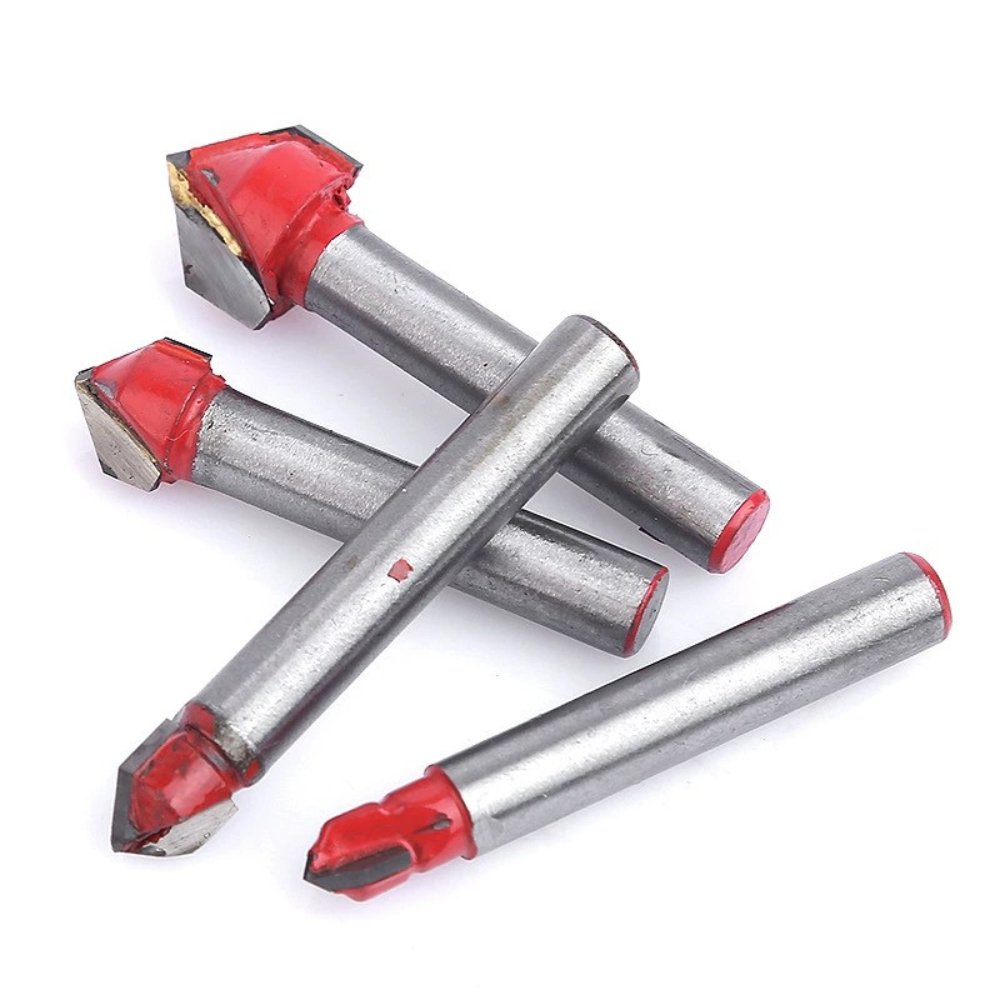
Official multi-tool reference. Ask for operating data per exact offered tool; a group photograph does not establish a supplied set, common speed limit or interchangeable variants.
Request operating information beyond the dimension fields
Success Drill’s Woodworking V-Groove Router Bits listing presents several model strings and separate dimensional fields. Its official photographs show individual tools and a grouped arrangement. Those references help identify the enquiry, but the cached product description does not establish a maximum operating speed, rotation direction or a machine-specific cutting recommendation.
For wholesale woodworking router bits, request a supplier operating-data response for each exact offered code. Keep that response separate from the dimensional drawing and material declaration. The purpose is to obtain the manufacturer’s applicable information for the intended purchasing context, not to invent a cutting setup from a familiar-looking tool photograph.
Separate a maximum limit from an application recommendation
Ask the supplier whether it provides a maximum permitted rotational speed for the exact tool and what conditions apply to that limit. Keep the units and the identified tool version with the answer. If it supplies application-specific recommendations as well, place those in separate fields with the conditions the supplier states.
A maximum limit and a recommended setting answer different questions. Do not relabel one as the other or select a value from another similar-looking bit. Where the supplier’s document uses a speed range, request the meaning of that range and its applicability. The purchasing comparison should preserve the supplier’s actual distinction between a limit and a proposed application response.
Data-sheet field
Supplier response requested
Scope to retain
Exact tool identity
Item code and applicable version
One response per offered variant
Maximum speed
Stated limit, units and conditions
Limit rather than an assumed recommendation
Application response
Information for the stated machine and workpiece
Only the described purchasing context
Rotation direction
Direction with a defined viewing reference
Unambiguous interpretation of the instruction
Define the reference for rotation direction
If a supplier uses clockwise or counterclockwise wording, ask it to identify the viewing direction used in that statement. Request a marked diagram or the relevant manufacturer instruction where needed. The aim is to understand the supplier’s definition, not to infer direction from an edge close-up or the way a tool is placed in a catalogue picture.
Keep that reference with the exact tool code and data-sheet revision. A direction label that has been separated from its reference view can become ambiguous when copied into a buyer’s spreadsheet. Resolve that point in the written response before treating the field as complete. This article supplies no rotation instruction for any pictured bit.
Official single-tool reference. Its appearance and visible shank do not define an operating speed, equipment match or rotation-direction convention.
Give the supplier the intended purchasing context
Identify the machine and relevant holding-system information the supplier requests for its assessment. Describe the proposed workpiece and intended operation clearly, using the buyer’s actual project details. Ask the supplier which additional information it needs before responding. A general woodworking category label does not establish suitability for every machine, holder or material.
Where the supplier provides an application response, retain its stated assumptions and limits. Do not extend it to another workpiece or machine without asking whether it still applies. This helps the buying team compare the information actually offered while leaving operating decisions with the responsible product instructions and qualified assessment for the application.
Keep variants on separate data rows
The grouped official image is useful for discussing a range, but it does not show that all pictured tools share one operating limit. Ask the supplier to connect each offered item code to its own data response or explain the scope of a common document. Preserve any exceptions rather than copying one value across all rows.
Keep dimensions, material statements and operating information connected by that item code. A dimensional drawing can identify the geometry under discussion, while the operating document answers a different set of questions. If the two documents use different references, request the supplier’s mapping before combining them into one approved purchasing specification.
Official head close-up. Use an identified supplier tool code with the requested data sheet; visible edge geometry is not an operating instruction or performance result.
Close unanswered fields without guessing values
A concise enquiry can request the exact tool code, maximum-speed information, rotation reference and any application-specific response for the buyer’s stated project. Mark each field as provided, awaiting clarification or not supplied. An unanswered field should remain an information gap; a catalogue photograph cannot fill it with a plausible number.
Retain the supplier’s document revision with the quotation. If the offered tool specification changes, ask whether the operating information remains applicable. This creates a practical handover between purchasing and the team evaluating the tool, without turning a sample identity check or material description into a completed operating assessment.
Request information for each exact offered tool code.
Keep maximum limits separate from application recommendations.
Preserve the reference view for any direction statement.
Leave missing parameters open for the supplier’s response.
FAQ
Can the product dimensions determine the operating speed?
The listed dimensions do not establish that operating limit. Request the supplier’s applicable information for the exact tool.
Can one speed value cover the whole pictured group?
Ask the supplier to define its scope. The grouped image does not establish a common limit or interchangeable variants.
What should identify a useful operating-data response?
Keep the tool code, document revision, units, applicable conditions and relevant machine or workpiece context together.
Read related product questions in the Success Drill blog, or send the model-specific data request with your project details.
wholesale woodworking router bitsoperating datasupplier RFQs